
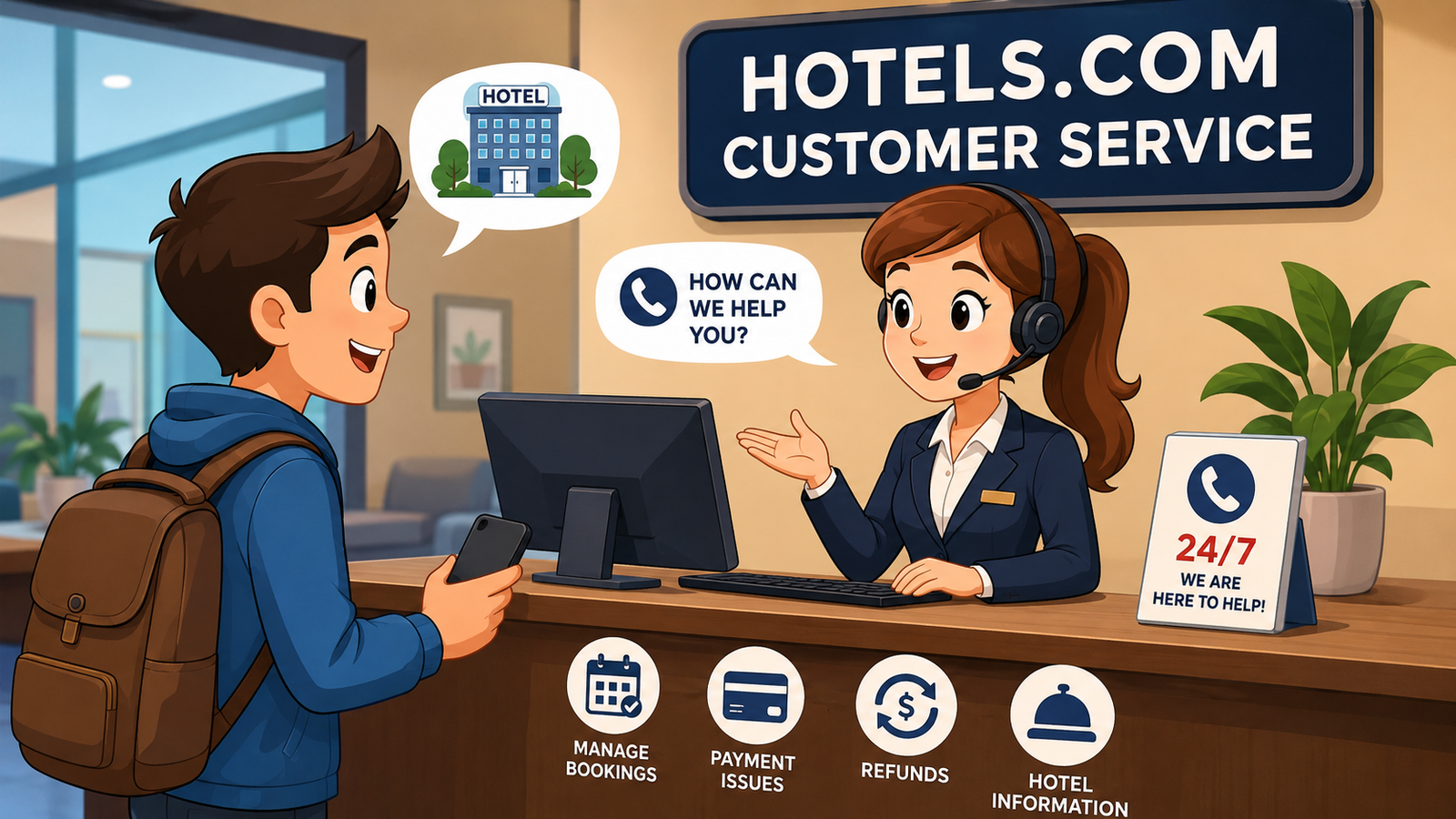
Finding the right Hotels.com customer service number can be frustrating when you need urgent help with a hotel reservation, cancellation, refund, payment, or booking change. The good news is that Hotels.com provides customer support by phone and online chat, with agents available 24 hours a day, 365 days a year.
However, Hotels.com does not simply publish one universal phone number for every traveler. Its official contact process asks a few questions first so that customers can be directed to the appropriate agent and phone number for their situation and location.
This guide explains how to contact Hotels.com safely, what information to prepare before calling, which problems customer service can help with, and how to avoid fake phone numbers and travel scams.
How to Find the Hotels.com Customer Service Number
The safest way to find the current Hotels.com customer service number is through the official Hotels.com website or app rather than relying on random numbers found on search engines, social media, or third-party websites.
Hotels.com currently directs customers to its official customer-service page, where the phone option asks for some information before showing the appropriate contact route. The company says its customer service agents are available around the clock throughout the year
This approach can be particularly useful for international travelers because contact options may vary depending on the traveler’s location, booking, or type of issue.
Why You Should Use the Official Contact Page
Using the official support page has several advantages:
- It helps you reach the correct support channel.
- It reduces the risk of calling a fraudulent number.
- It can connect you with an appropriate customer-service agent.
- It provides access to online chat.
- It gives you access to booking-management tools.
Hotels.com specifically warns customers that fake phone numbers are circulating online, including numbers promoted through misleading search advertisements and imitation pages.
What Can Hotels.com Customer Service Help With?
Hotels.com customer support is designed to assist travelers with many issues related to reservations and accounts. If you have already made a booking, customer service may be useful when something does not go according to plan.
Common reasons travelers contact support include:
- Changing a reservation
- Canceling a hotel booking
- Questions about refunds
- Unexpected charges
- Problems with payment
- Booking confirmation issues
- Problems checking into a property
- Questions about hotel reservations
- Account-related concerns
- Loyalty and rewards questions
- Assistance with an existing trip
Hotels.com also provides a Help Center covering areas such as stays, refunds and charges, accounts, privacy, security, travel alerts, and loyalty programs.
For simple requests, using the Help Center or managing your booking online may be faster than calling.
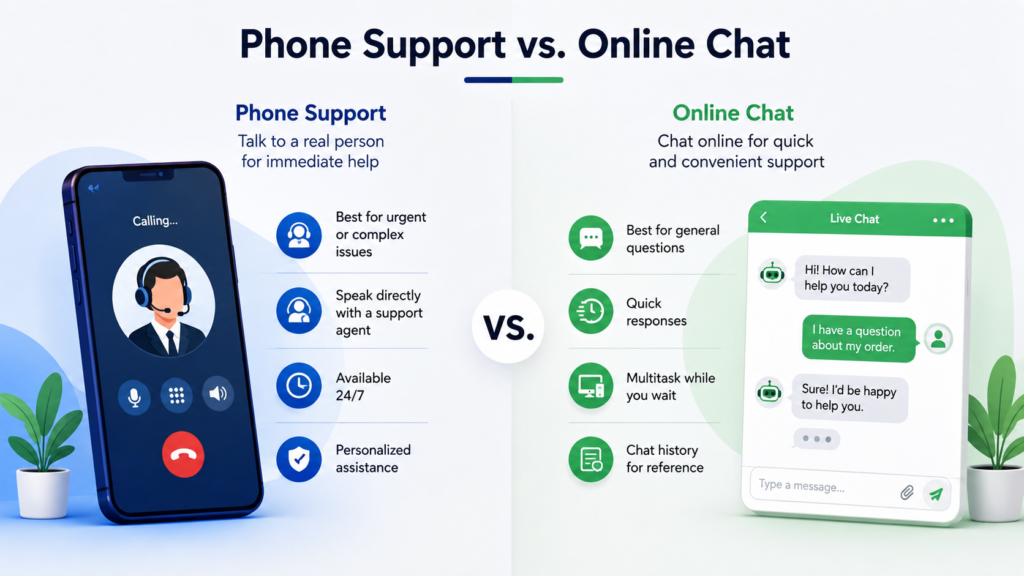
Phone Support vs. Online Chat
Hotels.com gives travelers more than one way to seek assistance. Phone support is useful when an issue needs personal attention, while online chat can be convenient for travelers who do not want to make a phone call.
The official Hotels.com contact page states that customers can receive help through both phone and chat. Its virtual agent can answer questions and help manage trips, and it can connect customers with a human representative when necessary.
| Support Method | Best For | Main Advantage |
|---|---|---|
| Phone | Urgent or complicated issues | Direct conversation with support |
| Online chat | General questions and booking assistance | Convenient and easy to access |
| Help Center | Common questions | Quick self-service information |
| Manage Booking | Changes to eligible reservations | Lets you handle certain tasks yourself |
Choosing the right method can save time. If you simply need information about a booking, online tools may be enough. If your reservation has a serious problem, speaking with an agent may be more appropriate.
What Information Should You Have Before Calling?
Before searching for the Hotels.com customer service number or starting a support chat, gather your booking information.
Having the right details ready can make the conversation much easier.
You may want to have:
- Your booking confirmation number
- The name on the reservation
- Hotel name and location
- Check-in and check-out dates
- Email address associated with the booking
- Details about the problem
- Relevant payment information, when appropriate
Do not send sensitive information to an unknown person simply because they claim to be a Hotels.com representative.
The goal is to give customer service enough information to locate your reservation without exposing unnecessary personal or financial details.
How to Contact Hotels.com About a Cancellation
Cancellation questions are among the most common reasons travelers look for customer support.
Before contacting Hotels.com, check the cancellation terms attached to your specific reservation. Hotel policies can vary, and some properties may require cancellations more than 24 hours before check-in. Hotels.com also notes that cancellation conditions can differ by property.
If your reservation qualifies for online cancellation, you may be able to manage it without speaking with an agent.
A typical process is:
- Open the official Hotels.com website or app.
- Sign in to your account if possible.
- Open your bookings or trips.
- Select the relevant reservation.
- Review the cancellation terms.
- Follow the available cancellation instructions.
If the online option does not solve the problem, customer service may be the next step.
How to Ask About a Hotels.com Refund
Refund questions can sometimes become confusing because the timing and eligibility depend on the reservation terms and circumstances.
If you are waiting for money to be returned, gather your confirmation information before contacting support. Explain what happened and ask whether the refund has been processed, is pending, or requires additional action.
It is also helpful to distinguish between:
- A reservation cancellation
- A refund that has already been approved
- A payment that is still pending
- A disputed or unexpected charge
- A hotel-related charge
The Hotels.com Help Center includes a dedicated section for refunds and charges, making it a useful starting point for common payment questions.
What to Do If You Cannot Find Your Booking
Sometimes travelers cannot immediately locate a reservation after completing a purchase.
Before contacting support, check the email account used during the booking process. Search for your Hotels.com confirmation email and check your spam or junk folder.
You should also verify that:
- You are signed into the correct account.
- The email address is the one used for the reservation.
- The booking dates are correct.
- You have not accidentally made the reservation through another travel platform.
If the booking still cannot be located, contacting official Hotels.com support with your available booking details can help determine what happened.
Be Careful With Fake Hotels.com Phone Numbers
One of the most important reasons to verify the Hotels.com customer service number is the risk of scams.
Hotels.com itself warns that fake customer-service numbers are circulating online. Fraudsters may create pages that look legitimate or advertise fake support numbers in search results.
A scammer may attempt to obtain your payment information, account credentials, or verification codes.
Hotels.com states that it will not ask customers for their password or one-time passcode. It also says it will not ask travelers to make a wire transfer or purchase a gift card to pay for a trip.
Simple Ways to Stay Safe
Follow these precautions when looking for customer support:
- Start from the official Hotels.com website or app.
- Avoid phone numbers posted on unknown websites.
- Be suspicious of unsolicited calls claiming to be Hotels.com.
- Never share your password or one-time verification code.
- Do not purchase gift cards because someone claims they are required for your booking.
- Avoid sending money through a wire transfer to an unknown recipient.
- Double-check the website address before entering account information.
When in doubt, close the page and navigate directly to the official Hotels.com website instead of following an unfamiliar link.
When Should You Contact Customer Service?
Not every issue requires a phone call. For simple questions, the Help Center may provide an immediate answer.
Customer service is more useful when:
- Your booking has disappeared.
- You need help with an urgent reservation issue.
- A cancellation is not working correctly.
- You have a question about a refund.
- You believe there is an incorrect charge.
- You cannot resolve an issue through your account.
- You need help with a complicated booking problem.
Hotels.com provides a self-service booking-management option as well, allowing travelers to make certain changes without contacting an agent.
Tips for Getting Faster Help
A little preparation can make customer support much more efficient.
Before starting a call or chat, write down the problem in one or two sentences. Instead of saying that something is wrong with your reservation, explain exactly what happened.
For example:
“My reservation was canceled, but I have not received information about the refund.”
This gives the representative a clear starting point.
You can also keep your confirmation email open while contacting support. If the representative asks for booking information, you will not have to search for it during the conversation.
If you are using chat, save important reference numbers or instructions provided by the representative.
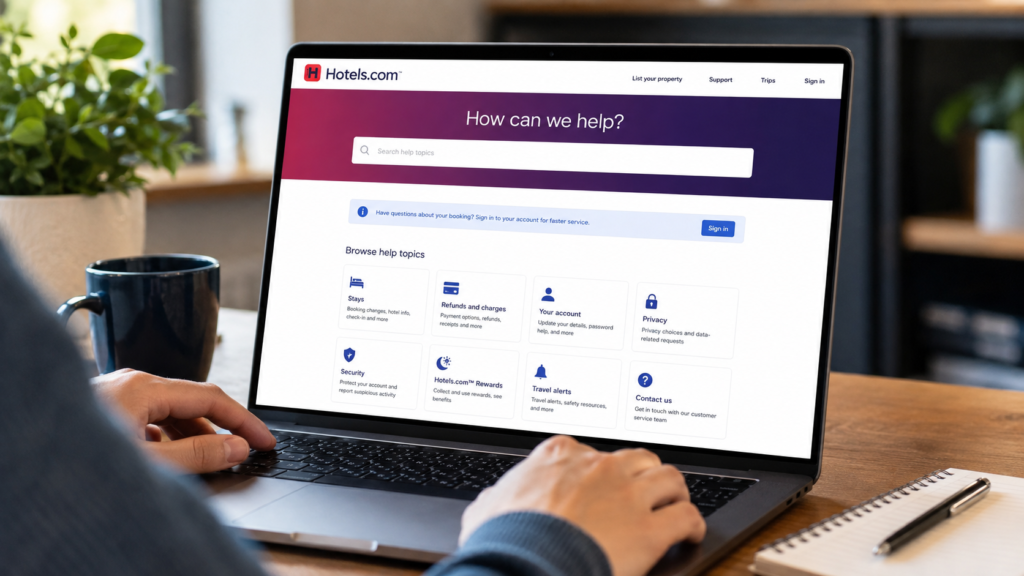
Hotels.com Help Center as an Alternative
The official Hotels.com Help Center is useful when you want to solve a problem without calling.
It provides information covering several major categories, including:
- Stays
- Refunds and charges
- Account problems
- Privacy
- Security
- Loyalty and rewards
- Travel alerts
The Help Center also includes access to booking and contact options.
For straightforward questions, checking the Help Center first can potentially save time.
Frequently Asked Questions
Is there one Hotels.com customer service number for everyone?
Not necessarily. Hotels.com currently asks customers a few questions through its official contact process before directing them to the appropriate phone number and agent. This means travelers should use the official contact page rather than relying on an old number found elsewhere.
Is Hotels.com customer service available 24 hours?
Yes. Hotels.com states that its customer-service agents are available 24 hours a day, 365 days a year, through phone and chat support.
Can I contact Hotels.com through chat instead of calling?
Yes. Hotels.com provides an online chat option. Its virtual agent can answer questions and assist with trip management, and it may connect you with a human representative when needed.
How can I avoid fake Hotels.com customer service numbers?
Use the official Hotels.com website or app to access support. Hotels.com warns travelers about fake phone numbers and imitation pages. Never provide your password or one-time passcode to someone claiming to be customer service.
Can Hotels.com help with a refund?
Customer support can assist with questions about refunds and charges, although whether and when a refund is available depends on the terms of the particular reservation. The Hotels.com Help Center provides a dedicated refunds and charges section.
Should I call customer service for every booking problem?
Not always. Some changes can be completed through the Manage Booking feature, while common questions can be answered through the Help Center. For complicated or urgent issues, contacting customer service may be the better option.
Final Thoughts
Finding the correct Hotels.com customer service number is important, but finding it from a trustworthy source is even more important. Hotels.com provides phone and chat assistance 24/7, and its official contact system helps travelers reach the appropriate support option.
Before contacting support, keep your booking details ready and clearly explain the problem. For simple issues, the Help Center and online booking-management tools may be faster.
Most importantly, avoid phone numbers from suspicious websites, advertisements, or unsolicited messages. Hotels.com has specifically warned customers about fake support numbers, so using the company’s official website or app is the safest way to get help.
By following these steps, travelers can deal with booking questions, cancellations, refunds, and other concerns more confidently while reducing the risk of falling for customer-service scams.
Husch Blackwell: A Complete Guide to the Law Firm, Services, and Legal Expertise









Leave a Reply