
ChatGPT is an artificial intelligence tool designed to understand questions and instructions and respond with natural-sounding text. It can help users learn new subjects, write content, brainstorm ideas, summarize information, solve problems, and complete many everyday tasks. For beginners, understanding how ChatGPT works makes it easier to use the technology effectively while also recognizing its limitations.
Artificial intelligence has become part of everyday digital life, and conversational AI is one of its most accessible forms. Instead of learning complicated software commands, users can communicate with an AI assistant using ordinary language. That simplicity is one of the main reasons ChatGPT has become so widely used.
This guide explains what ChatGPT is, how it processes prompts, what it can do, where it may make mistakes, and how beginners can get better results from their conversations.
What Is ChatGPT?
ChatGPT is a conversational AI system developed by OpenAI. It is built to process natural language and generate responses based on the instructions and context provided by a user.
Unlike a traditional search engine, which primarily presents a list of web pages, a conversational AI can generate a direct response to a request. For example, a beginner could ask for an explanation of photosynthesis in simple language or request a step-by-step explanation of a mathematical concept.
The system can adapt its response to the user’s instructions. You can ask it to make an explanation shorter, provide examples, change the writing style, or explain the same idea for a different level of knowledge.
Some common uses include:
- Answering questions
- Explaining complicated concepts
- Writing and editing text
- Brainstorming ideas
- Creating outlines
- Summarizing provided information
- Helping with programming concepts
- Practicing languages
- Preparing study materials
- Organizing information
However, it is important to remember that AI-generated responses are not automatically correct. Users should evaluate important information rather than accepting every answer without checking it.
How Does ChatGPT Work?
At a basic level, ChatGPT works by analyzing the text you provide and generating a response based on patterns learned during the development and training of its underlying AI models.
The process can seem simple from the user’s perspective: you type something, press send, and receive an answer. Behind that simple interaction, however, sophisticated language-processing technology is involved.
Understanding Your Prompt
The first important part of an interaction is your prompt. A prompt is the instruction, question, or information you give to the AI.
For example, you might write:
“Explain photosynthesis to me as if I am a 12-year-old student.”
The system analyzes the words and the context of the request. It identifies what you are asking for and uses those instructions to shape the response.
A more specific prompt generally gives the AI clearer guidance about what you want.
Generating a Response
After processing the prompt, the model generates an answer one part at a time. Modern language models are designed to recognize relationships between words, phrases, concepts, and context.
This allows the system to produce responses that can appear conversational and relevant.
It is important to understand that the AI does not think exactly like a human. It does not possess human consciousness or personal experiences. Its responses are generated through computational processes based on learned patterns and the information available to the model.
Using Conversation Context
Another useful feature is the ability to consider previous messages within a conversation. This allows users to ask follow-up questions without repeating every detail.
For example, you could first ask for a beginner-level explanation of a subject and then say, “Now give me three examples.” The conversation context can help the system understand what “three examples” refers to.
This makes longer conversations more natural and useful.
ChatGPT vs. Traditional Search Engines
Beginners often wonder whether ChatGPT is simply another type of search engine. Although both can help people find information, they work differently.
| Feature | ChatGPT | Traditional Search Engine |
|---|---|---|
| Main interaction | Conversation | Search query |
| Typical response | Generated explanation | List of web results |
| Follow-up questions | Natural conversational flow | Usually requires another search |
| Writing assistance | Strong | Usually limited |
| Brainstorming | Useful | Requires reviewing multiple results |
| Information verification | May require user checking | Users can compare source pages |
| Personalized instructions | Can follow detailed prompts | Usually based on search terms |
A search engine can be particularly useful when you need current sources, official websites, local information, breaking news, or direct links.
Conversational AI can be especially helpful when you want an explanation, draft, summary, brainstorming session, or interactive learning experience.
In many situations, the two approaches can complement each other.
What Can ChatGPT Do?
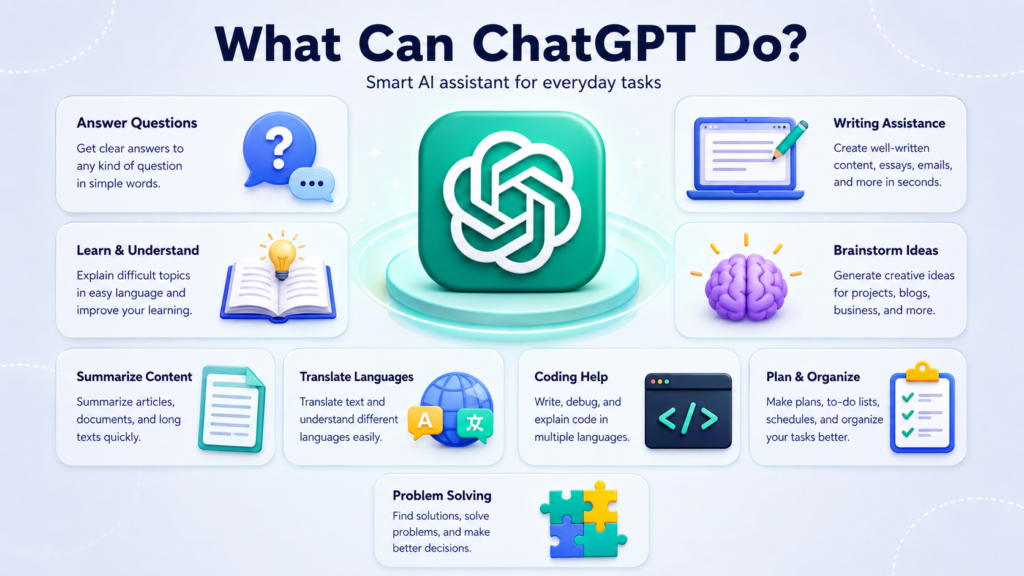
One reason beginners find ChatGPT useful is the variety of tasks it can handle.
Learning and Education
Students and independent learners can use AI to make difficult topics easier to understand.
For example, you can ask for:
- A beginner-friendly explanation
- Practice questions
- A study outline
- Flashcard ideas
- Examples of difficult concepts
- A summary of text you provide
- Step-by-step explanations
Instead of simply asking for an answer, learners can ask the AI to explain why an answer is correct. This can make the interaction more educational.
Writing and Editing
ChatGPT can assist with many forms of writing. It can help users create an initial draft, improve clarity, organize ideas, or adjust the tone of existing text.
For example, a user might provide rough notes and ask for them to be turned into a professional email.
It can also help with:
- Blog outlines
- Emails
- Product descriptions
- Social media ideas
- Reports
- Introductions
- Headlines
- Grammar improvements
The best results usually come when the user reviews and personalizes the final text rather than publishing AI-generated material without editing.
Brainstorming
Sometimes the hardest part of a project is deciding where to begin. AI can act as a brainstorming partner by suggesting possible directions.
You might ask for 20 ideas for a blog, business project, presentation, or creative activity and then select the ideas that are most relevant to you.
Programming Assistance
People learning programming can use ChatGPT to understand coding concepts, examine examples, troubleshoot errors, and learn how different programming techniques work.
Beginners should still test code carefully. An AI-generated solution can contain errors, outdated approaches, or assumptions that do not match the user’s project.
What Is a Prompt?
A prompt is simply the instruction you give to an AI system.
For beginners, learning how to write useful prompts is one of the most important steps toward getting better results.
Consider these two requests:
“Tell me about exercise.”
and:
“Explain the benefits of regular exercise for a beginner in simple language. Use five short bullet points and avoid technical terms.”
The second prompt provides much more direction.
A useful prompt can specify:
- The task
- The subject
- The intended audience
- The desired length
- The format
- The tone
- Important restrictions
You do not need to use complicated technical language. Clear, specific instructions are often enough.
How Beginners Can Get Better Results
Using AI effectively is less about finding a magical command and more about communicating clearly.
Start with the result you want. If you need a short explanation, say so. If you want examples, request them. If you want information organized into bullet points, mention that too.
Here are several practical tips:
Be specific: Explain exactly what you need rather than using a vague request.
Provide context: Include relevant background information when it affects the answer.
Set a format: Tell the AI whether you want paragraphs, bullet points, steps, or another structure.
Ask follow-up questions: You can refine an answer instead of starting a completely new conversation.
Request simpler explanations: If something is confusing, ask for it to be explained in beginner-friendly language.
Review important information: Treat AI responses as assistance rather than unquestionable authority.
For example, instead of saying:
“Help me study.”
you could write:
“I am preparing for a beginner-level biology exam. Create a seven-day study plan covering cells, genetics, ecosystems, and human biology. Keep each day’s workload manageable.”
The second prompt gives the AI enough context to produce a more useful response.
What Are the Limitations of ChatGPT?
Despite its capabilities, ChatGPT is not perfect.
One of the most important limitations is that an AI system can sometimes produce incorrect information. A response may sound confident and convincing while still containing an error.
This is sometimes described as an AI “hallucination,” where the system generates information that is inaccurate, unsupported, or incorrectly presented.
Users should be especially careful with:
- Medical information
- Legal matters
- Financial decisions
- Academic citations
- Current events
- Technical specifications
- Important business decisions
For high-stakes topics, information should be verified using reliable and authoritative sources.
Another limitation is that the quality of the response can depend heavily on the quality of the instructions. An unclear request may lead to an answer that does not match the user’s actual goal.
Is ChatGPT Useful for Beginners?
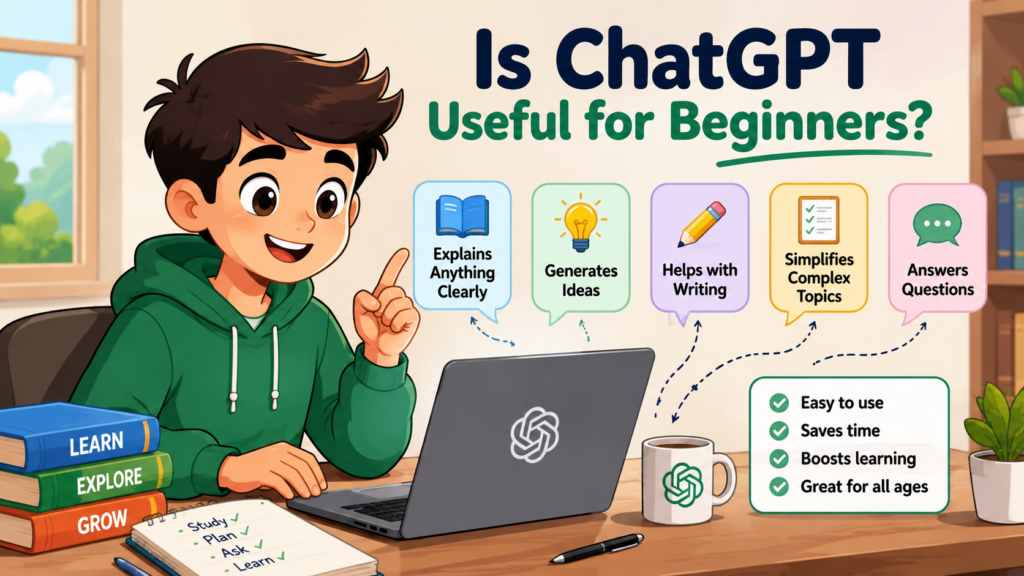
Yes. One of its biggest advantages is that beginners can interact with it using everyday language.
You do not need to understand machine learning before asking your first question. You can start with something as simple as:
“Explain artificial intelligence to me like I’m completely new to it.”
If the explanation is too complicated, ask for a simpler version. If you want examples, request examples. If you want to learn more about a specific part, ask a follow-up question.
This conversational approach makes AI particularly useful for people who are learning a new subject or exploring unfamiliar technology.
Common Mistakes Beginners Should Avoid
New users sometimes expect AI to produce perfect results immediately. A better approach is to treat the conversation as an interactive process.
Avoid relying on extremely vague prompts when the task requires specific information.
It is also a mistake to assume that fluent writing means the information must be accurate. Always review important claims and verify details when accuracy matters.
Other common mistakes include:
- Giving too little context
- Not explaining the intended audience
- Accepting the first answer without reviewing it
- Using AI-generated information for high-stakes decisions without verification
- Expecting AI to understand an unstated requirement
- Sharing sensitive personal information unnecessarily
The goal is not simply to get an answer. The goal is to get an answer that is useful for your particular situation.
FAQ About ChatGPT
Is ChatGPT free to use?
Access depends on the plan, product, and features available to a user. Some capabilities may be available without a paid subscription, while additional features or higher usage limits may be offered through paid plans.
Can ChatGPT understand normal language?
Yes. It is designed to process natural-language instructions, so beginners can communicate with it much like they would communicate with another person. Clear instructions and sufficient context generally make conversations more effective.
Can ChatGPT make mistakes?
Yes. AI-generated responses can contain factual errors, incomplete explanations, or incorrect assumptions. Important information should be checked against reliable sources, especially when the consequences of an error are significant.
Can ChatGPT help students learn?
Yes. It can explain concepts, generate practice questions, create study plans, summarize information provided by the student, and provide examples. Students should use it as a learning aid rather than simply copying answers.
What is the best way to ask ChatGPT a question?
Start by clearly describing what you want. Add useful context, specify the audience or skill level, and mention your preferred format when necessary. You can then ask follow-up questions to improve or refine the response.
Does ChatGPT replace human expertise?
No. It can support people with research, writing, learning, brainstorming, and many other tasks, but it does not replace qualified professionals or human judgment. Important decisions should involve appropriate expert advice and reliable information.
Final Thoughts
ChatGPT represents a major step toward making artificial intelligence accessible through everyday conversation. Instead of learning complex commands, beginners can ask questions, provide instructions, request explanations, and refine responses naturally.
Understanding how ChatGPT works is more valuable than simply knowing how to open the tool. When users learn to write clear prompts, provide context, review responses, and verify important information, they can get much more practical value from conversational AI.
For beginners, the best way to learn is to experiment. Start with simple questions, try different instructions, ask follow-up questions, and pay attention to how changes in your prompt affect the response. With practice, ChatGPT can become a useful companion for learning, writing, planning, brainstorming, and everyday problem-solving.
Also Read: Ethereum: A Beginner-Friendly Guide to How It Works









Leave a Reply